LED Matrix Panels Buying Guide: WS2812 Matrices vs HUB75 RGB Panels
This page contains affiliate links. We may earn a commission at no extra cost to you.
On this page
LED matrix panels are behind scrolling signs, pixel-art clocks, scoreboards and stock tickers in a lot of maker projects. Two very different technologies sell under similar names: addressable LED matrices built from WS2812-style pixels, and HUB75 RGB panels taken from the video-wall industry. They look alike in photos, but they are driven differently, need different amounts of power and suit different projects. This guide explains the difference and what to check before buying.
WS2812 addressable matrices
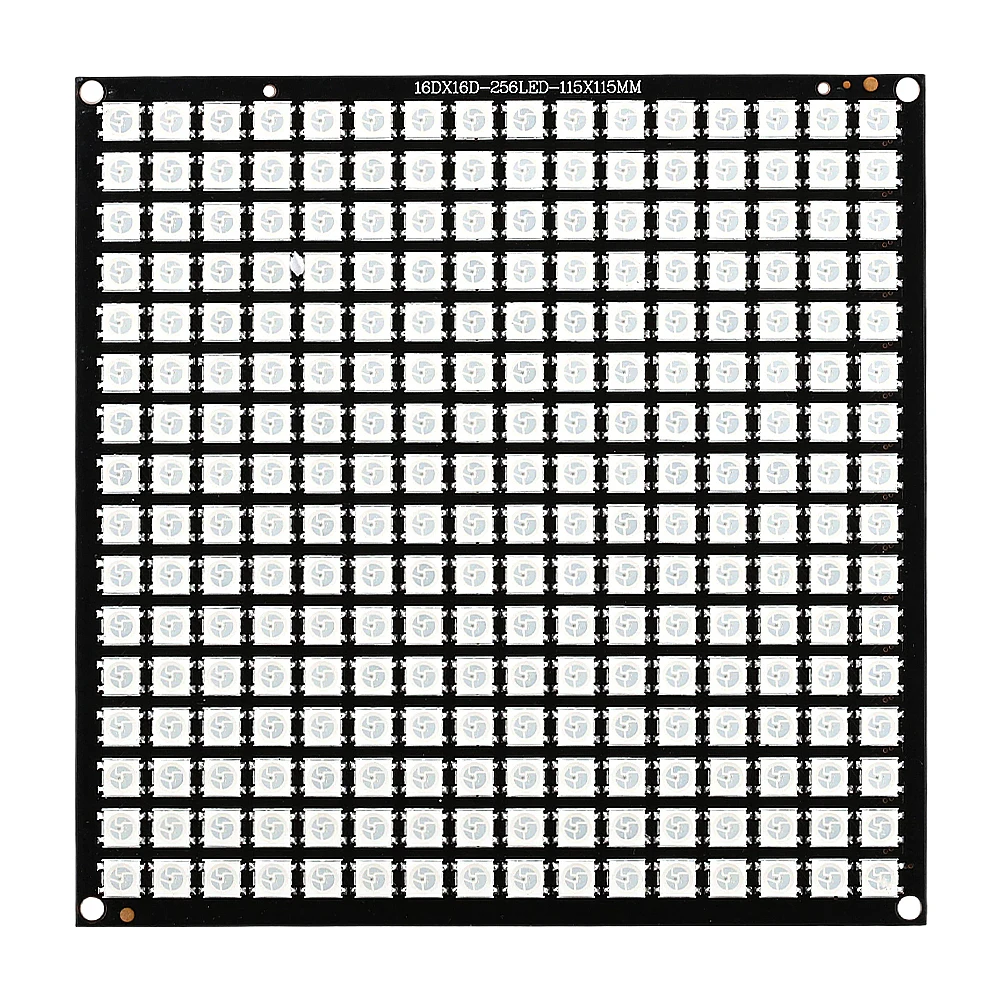
A WS2812 (or SK6812, often sold as "NeoPixel") matrix is a flexible or rigid board with a grid of smart RGB LEDs, commonly 8 x 8, 8 x 32 or 16 x 16. Each LED has a tiny controller built in. You send a single data stream down the chain and each pixel takes its own color value and passes the rest along.
- Easy to drive. One data pin from an Arduino, ESP32, ESP8266, Raspberry Pi Pico or similar, using libraries such as FastLED or Adafruit NeoPixel.
- Full brightness on every pixel at once, because each LED holds its own color. There is no flicker from scanning.
- Low resolution, large pixels. A 16 x 16 board has 256 pixels at roughly 10 mm pitch, which is ideal for wearables, lamps and icons but not for text-heavy displays.
- Chainable. You can connect several matrices end to end, but the frame rate drops as the chain grows because the data is serial.
Most WS2812 matrices are rated for about 5 V (often listed as 4.5 to 5.4 V). The data line expects 5 V logic. A 3.3 V microcontroller often works over a short wire, but a level shifter such as a 74HCT125 makes it reliable. A 300 to 500 ohm resistor in the data line and a large capacitor (around 1000 uF) across the power input are standard good practice.
HUB75 RGB panels
HUB75 panels are the modules used to build large indoor and outdoor video screens. Each panel is a rigid board with a fixed grid of plain RGB LEDs, driven by shift registers and row-select lines through a 16-pin HUB75 ribbon connector. Common sizes are 32 x 16, 64 x 32 and 128 x 64 pixels.
- Much higher density. A 64 x 32 panel has 2,048 pixels; a 128 x 64 panel has 8,192.
- Multiplexed. Only a fraction of the rows are lit at any instant (1/16 or 1/32 scan). The controller must refresh the whole panel continuously, so it needs a fast, dedicated driver.
- Cheap per pixel, but harder to drive and fussier about wiring than WS2812 boards.
Pixel pitch explained: P2, P2.5, P4 and P10
The "P" number is the distance between pixel centers in millimeters. Smaller pitch means more pixels in the same area and a sharper image up close.
| Pitch | Typical panel | Physical size | Good for |
|---|---|---|---|
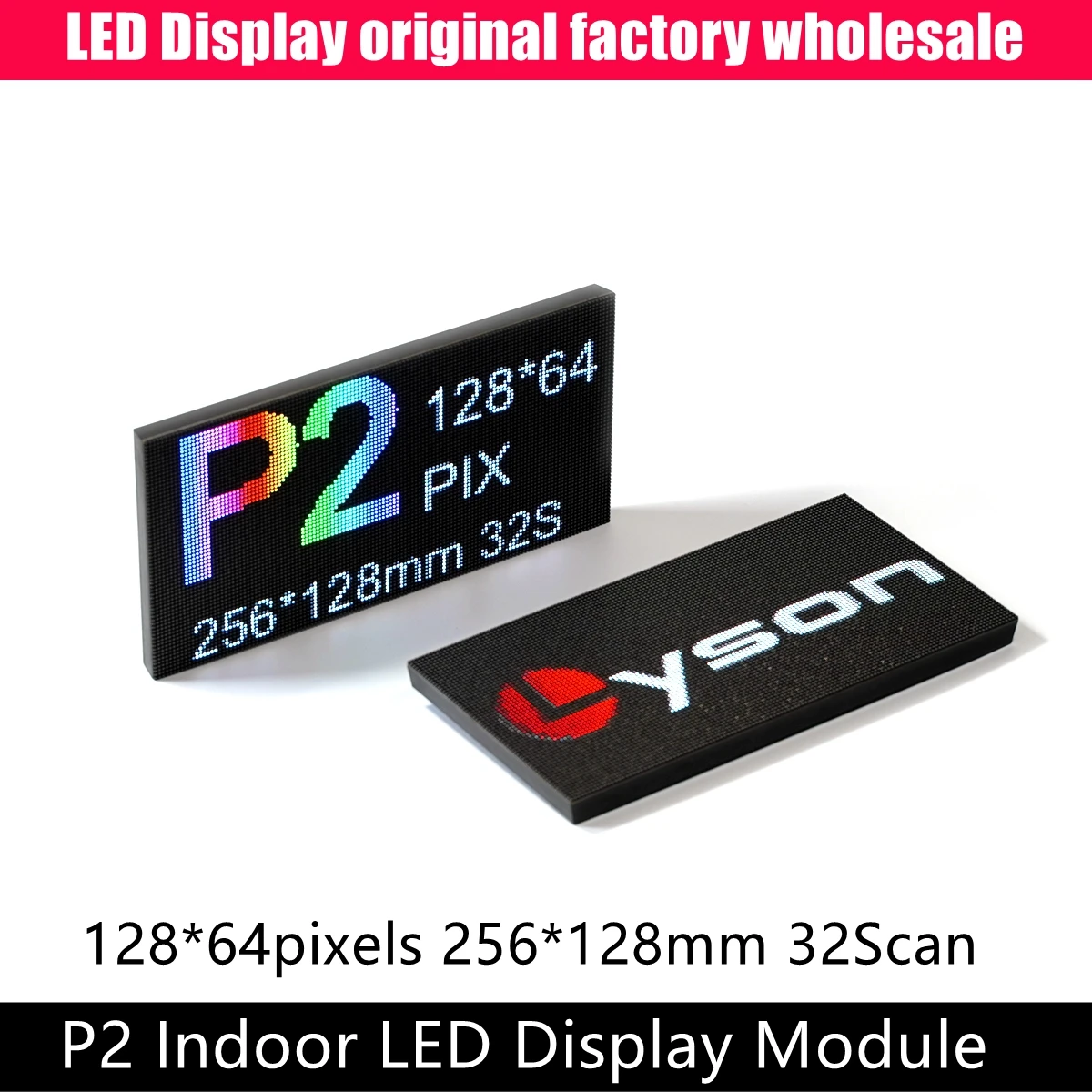
| P2 | 128 x 64 | 256 x 128 mm | Desk displays, detailed graphics, viewing from about 2 m |
| P2.5 | 64 x 32 | 160 x 80 mm | Small clocks and dashboards, viewing at arm's length |
| P4 | 64 x 32 | 256 x 128 mm | Wall signs, scoreboards, room-scale text |
| P10 | 32 x 16 | 320 x 160 mm | Shop signs and outdoor text read from across a street |
A rough rule is that the comfortable minimum viewing distance in meters is about the pitch in millimeters. A P4 panel looks like individual dots up close but reads cleanly from four meters away.
Panels with 64 rows usually need the fifth address line, called "E". Check that your driver board or HAT routes the E line, and that the panel's scan rate (1/16 or 1/32) is supported by your library.
Driving HUB75 panels: ESP32 and Raspberry Pi
ESP32. The popular ESP32-HUB75-MatrixPanel-DMA library uses the ESP32's parallel output and DMA to refresh panels smoothly with little CPU load. It is a good choice for clocks, weather displays and Wi-Fi-connected signs. A small adapter board that maps the ESP32 pins to the HUB75 connector saves a lot of jumper wires.
Raspberry Pi. The rpi-rgb-led-matrix library is the long-standing option for larger chains and video. Use an adapter HAT with level-shifting buffers (typically 74HCT245), because the Pi's 3.3 V outputs are marginal for some panels. Chaining several panels is easy, but more panels means a lower refresh rate per panel.
Microcontrollers such as the Arduino Uno can drive only the smallest 32 x 16 panels, with limited color depth. For anything larger, use an ESP32 or a Pi. Our JST connectors guide is useful if you are making neat power and data leads for a build.
Power: how to size your 5 V supply
This is where most matrix projects go wrong. Both types run on 5 V and both can draw several amps.
WS2812 matrices
Each WS2812 pixel draws up to about 60 mA at full white (20 mA per color channel). Multiply by the pixel count for the worst case:
- 16 x 16 = 256 pixels x 60 mA = about 15 A at full white.
In practice you rarely run every pixel at full white. Most people cap brightness in software (FastLED has a power-limit function) and use a supply of 4 to 10 A for a single 16 x 16 board. Feed power into the matrix at more than one point on large builds, because thin copper traces cause voltage drop and color shifts at the far end.
HUB75 panels
Because HUB75 panels are multiplexed, they draw less than the pixel count suggests, but they still need plenty of current. Check the seller's maximum power figure in watts and divide by 5 to get amps. As a starting estimate, a 64 x 32 indoor panel can draw around 2 to 4 A at full white, and a 128 x 64 P2 panel more. Add 20 to 30 percent headroom and multiply by the number of panels.
Do not try to power panels from a USB port or the Raspberry Pi's 5 V pin. Use a dedicated 5 V supply rated for the current you calculated, with wire thick enough for that current (the screw-terminal power leads supplied with most panels are fine for one or two panels). Keep the supply ground connected to the controller ground.
What to check before buying
- Interface. WS2812 (single data wire) or HUB75 (16-pin ribbon). They are not interchangeable.
- Resolution, pitch and physical size. Confirm that two panels side by side give the aspect ratio you want.
- Scan rate (1/8, 1/16, 1/32) and whether the E line is needed.
- Driver chips. Some newer panels use chips (such as FM6126A) that need an initialization sequence. Good libraries support this, but check.
- Included cables. Most HUB75 panels come with a ribbon cable and a power lead; magnets or mounting screws are sometimes extra.
The panels below ship from marketplace sellers, often within one to three weeks. Check seller ratings and return policies, and buy every panel for a multi-panel build from the same listing at the same time, as batches can differ in brightness and color. If you like tinkering with radio as well as light, see our first SDR buying guide.
Listings to consider
WS2812 16x16 addressable matrix
Beginners, lampsA 16 x 16 grid of 256 individually addressable RGB pixels that runs on about 5 V and needs only one data pin. It is the easiest way to start with LED matrices using FastLED or NeoPixel libraries. Full white can draw around 15 A, so limit brightness in software and size the supply accordingly.
Listing: WS2812 LED Matrix Panel Module 16x16 256 Pixels Full Color Changing Addressable RGB Light…

P2.5 64x32 HUB75 panel
Desk clocksA compact 160 x 80 mm HUB75 panel with 64 x 32 pixels at 2.5 mm pitch and 1/16 scan. It suits ESP32 clocks, dashboards and small info displays viewed up close. You need a HUB75 driver such as an ESP32 or a Raspberry Pi with an adapter, plus a dedicated 5 V supply of a few amps.
Listing: P2.5-64x32 Indoor Full Color LED Display Module HUB75,160mm*80mm,RGB LED 64×32 P2.5 1/16 …

P4 64x32 HUB75 indoor panel
Wall signsA 256 x 128 mm indoor panel with 64 x 32 pixels at 4 mm pitch. Its larger size makes text readable across a room, and it is a common choice for scoreboards and scrolling signs. Plan on several amps at 5 V per panel and check the driver chip type against your library before ordering.
Listing: P4 Indoor 64*32 Pixels LED Video Screen RGB Panel 256mmx128mm 1/16 Scan SMD Full Color Di…
P2 128x64 HUB75 indoor panel
Detailed graphicsA fine-pitch 256 x 128 mm panel that packs 128 x 64 pixels at 2 mm pitch, enough for small images and multiple lines of text. It usually needs the E address line and 1/32 scan support from your driver. It draws more current than smaller panels, so budget a generous 5 V supply.
Listing: P2 Indoor SMD1515 Full Color LED Video Display Module 256*128mm Monitor Room Rgb Panel Su…