CANbus Decoders Explained: What the Box Does and How to Pick One
This page contains affiliate links. We may earn a commission at no extra cost to you.
On this page
If you have shopped for an Android head unit, you have probably seen a small black box with a tangle of wires bundled with the harness and labelled "CANbus" or "Canbus decoder". It is easy to treat it as an optional extra. In many cars it is the part that decides whether the new stereo switches on with the ignition, dims with the headlights, shows the reversing camera, and responds to the steering-wheel buttons. This guide explains what the box does, why some cars need one and others do not, and how to avoid buying the wrong one.
What the CAN bus is
CAN (Controller Area Network) is a two-wire data network that lets the modules in a car talk to each other. Instead of running a separate wire for every signal, the engine computer, body control module, instrument cluster, climate control and radio share the same pair of wires and send short digital messages. A message might say "ignition is on", "lights are on", "reverse gear selected" or "volume up button pressed".
Older cars, and many budget models even today, still send these signals to the radio as plain wires: a switched 12 V feed for ignition, an illumination wire for the headlights, and a resistor network for the steering-wheel buttons. Cars from roughly the mid-2000s onward increasingly put them on the bus instead. A factory radio in those cars understands the messages. A universal aftermarket head unit does not.
What a CANbus decoder does
The decoder sits between the car's radio plug and the head unit's harness. It listens to the bus, picks out the messages that matter, and turns them into something the head unit can use. Depending on the car and the box, that can include:
- Switched 12 V (ACC). The most important job. Without it, the head unit may never turn on, or it may never turn off and slowly drain the battery.
- Illumination. Lets the screen dim when the headlights are on.
- Reverse signal. Tells the head unit to switch to the camera input when you select reverse.
- Speed signal. Used by some navigation apps and by speed-dependent volume features.
- Steering-wheel controls. Volume, track and call buttons sent as data messages.
- Vehicle information. On supported cars, door-open warnings, outside temperature, climate settings or parking sensor displays on the head unit's screen.
The first three are essential. The rest depend heavily on whether the head unit's software supports that particular box and that particular car.
Do you need one?
Check how your factory radio is wired before buying anything. A few quick tests tell you a lot:
- Look up your car's radio pinout for your exact model and year. If it lists a switched 12 V (ACC) pin, the car probably sends ignition as a plain wire.
- Measure it. With a multimeter, check the ACC pin at the radio plug: it should read around 12 V with the ignition on and 0 V with it off. If the pin is missing or always dead, the car likely relies on the bus.
- Check how the steering-wheel buttons are wired. Many cars use one or two "key" wires with resistor networks, which head units can learn directly. Others send button presses only over CAN.
If ignition, illumination and buttons are all plain wires, you can often skip the decoder and use a simple harness adapter. Our car radio wiring harness guide covers those adapters.
Some installers bypass a missing ACC wire by tapping a fused ignition circuit elsewhere in the car. It works, but it means cutting into wiring and choosing the right circuit. A matched decoder is usually the cleaner, reversible option.
Decoder protocols: why the brand matters
There is no universal standard for how a decoder talks to the head unit. Each decoder maker uses its own protocol over a serial link, and the head unit's firmware has to understand it. Common decoder families include Raise (sometimes sold as RZC), Hiworld, Simple Soft and Oudi, among others. Listings do not always say which one they use.
On most Android head units you choose the decoder in a settings menu, often under "Car settings", "Canbus" or a factory settings page. You pick the decoder brand, then the car make and model. If the menu does not list your decoder and car together, some or all features may not work, even though the box itself is fine.
- Buy the decoder and harness as a set for your exact car where you can. Many vehicle-specific harnesses include the correct box already wired in.
- Ask the seller which protocol the box uses and confirm the head unit supports it before ordering both.
- Keep the box's label visible or photograph it before installation. If something does not work, you will need that information.
Matching a decoder to your car
CAN messages differ between manufacturers and often between generations of the same model. A decoder for a 2008 Golf may not work in a 2015 Golf, and a box for one trim level may not support a factory amplifier fitted to another. When comparing listings:
- Match make, model and year range, not just make.
- Check whether your car has a factory amplifier, steering-wheel controls or a factory reversing camera, and whether the box supports them.
- Compare the plug shape on the car side with photos of your factory radio connector.
- Read buyer questions for reports from owners of the same car.
Common problems and fixes
| Symptom | Likely cause |
|---|---|
| Unit does not switch on with ignition | Wrong decoder, decoder not connected to CAN wires, or ACC not provided by the box |
| Unit stays on and drains battery | Constant and switched 12 V swapped, or decoder not seeing ignition off |
| Steering-wheel buttons do nothing | Wrong Canbus selection in settings, or the car uses resistive buttons that need learning instead |
| No reverse camera switching | Reverse not decoded for this car; run a reverse wire from the reversing light instead |
| Door or climate info missing | Head unit firmware does not support that feature for your decoder and car |
Change one setting at a time and switch the ignition fully off and on between tests. Some decoders also need the car to "sleep" for a few minutes before they reset.
Disconnect the battery before unplugging or connecting the factory radio harness, and do not probe unknown connectors while the car is live. Yellow connectors usually belong to airbag systems; leave them alone. Our step-by-step head unit installation guide covers safe removal and fitting in detail.
Buying tips
Treat the decoder as part of the head unit purchase, not an afterthought. Decide which features you actually need (ignition, lights and reverse are the minimum), confirm the protocol, and favour sellers who list compatible years clearly and answer questions. These parts ship from marketplace sellers, often within one to three weeks, so order the harness and decoder at the same time as the head unit. If you are still choosing the unit, start with our Android car stereo buying guide.
Decoders, harnesses and head units to consider

16-pin harness with CANbus box for VW
VW Golf, Passat and SEATA plug-in 16-pin harness with a CANbus box for several VW group models, including the Golf Mk4 and Mk5, Passat B5 to B7 and SEAT Ibiza, as listed. Buying the harness and decoder together avoids mismatched parts. Check your exact year and confirm the box protocol is selectable in your head unit before ordering.
Listing: Car 16pin Radio Wiring Harness Canbus Box For VW Golf mk4 mk5 Passat B5 B6 B7 SEAT Ibiza …

QSZN CANbus set for Toyota Land Cruiser 120
Land Cruiser 120 ownersA vehicle-specific CANbus box and power harness set listed for the 2006 Toyota Land Cruiser 120. It is a good example of a matched kit: the plugs and decoder are chosen for one platform. Confirm your model year and whether your car has a factory amplifier, which may need extra parts.
Listing: QSZN Car Radio Canbus Box For TOYOTA 2006 Land Cruiser 120 Radio Wiring Harness Power Cab…
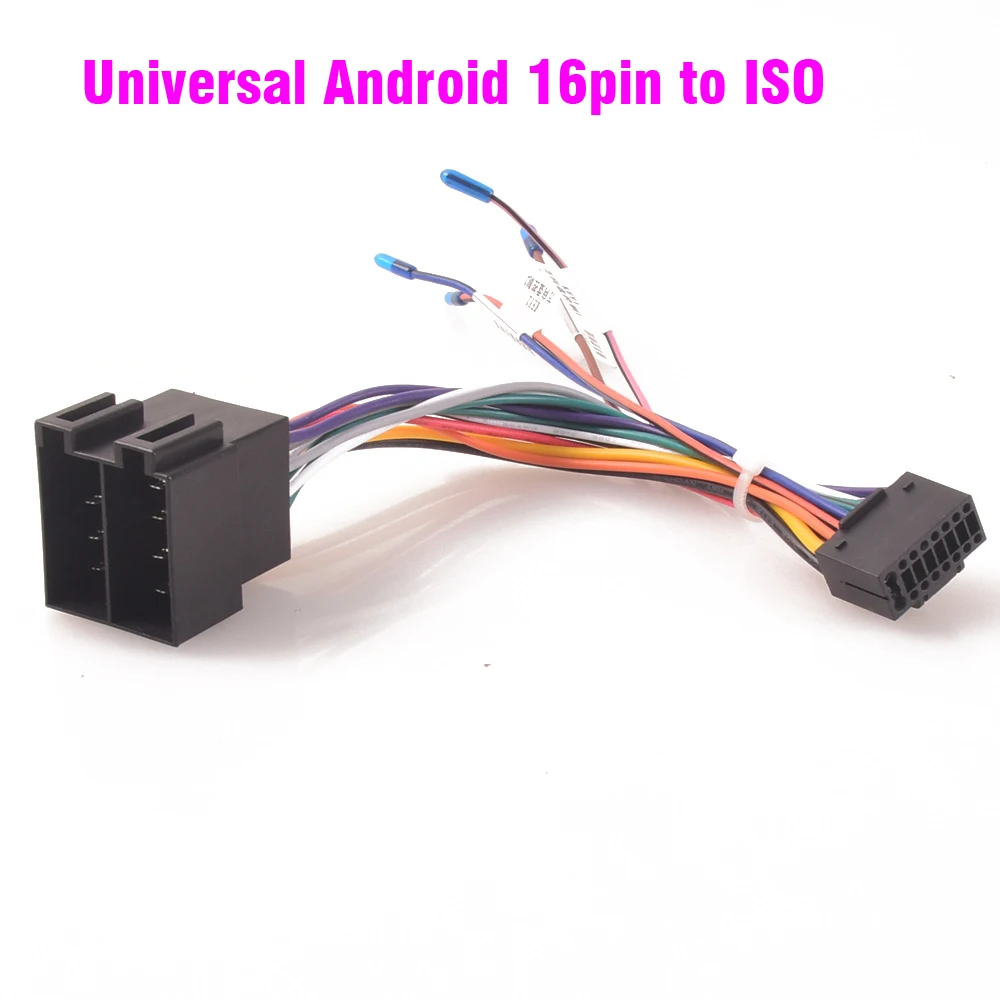
ISO to Android 16-pin universal harness
Cars with plain ISO wiringA universal adapter from a standard ISO radio plug to the 16-pin connector used by most Android head units. It suits cars that still send ignition and illumination as ordinary wires and do not need a decoder. Check the constant and switched 12 V pins with a meter, as some cars swap them.
Listing: Car Radio Stereo Wiring Harness ISO to Android Universal Accessory Wire for Mercedes benz…
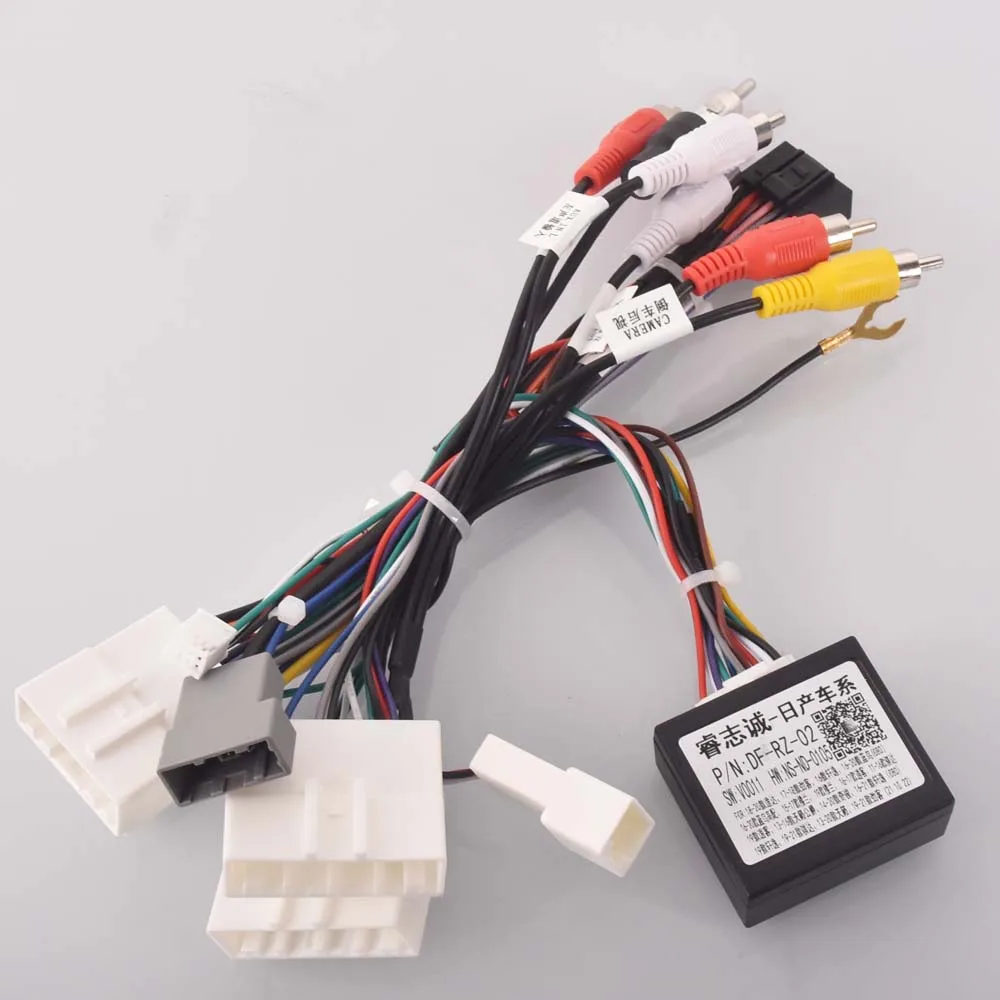
16-pin Android harness for Nissan
Qashqai, X-Trail and MuranoA vehicle-specific harness adapter listed for Nissan models such as the Qashqai J10 and J11, X-Trail, Murano and Tiida. It plugs between the factory connector and a 16-pin head unit without cutting wires. Check whether your trim needs a separate CANbus box for steering-wheel controls.
Listing: Car Radio Stereo Wiring Harness Cable Adapter Android 16pin For Nissan Murano Qashqai j10…
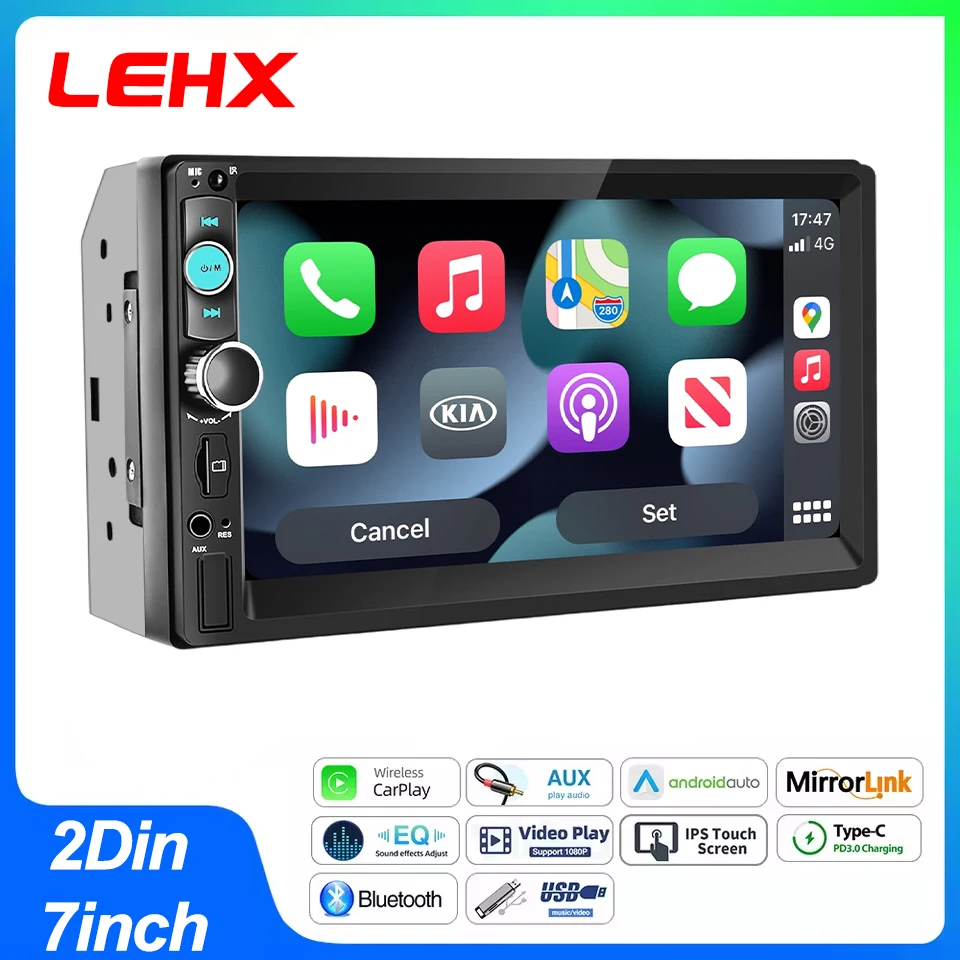
LEHX 7-inch 2-DIN Android head unit
Budget CarPlay upgradeA universal 7-inch 2-DIN Android head unit with CarPlay, Android Auto, Bluetooth and FM, as listed. Like most units in this class it uses a 16-pin harness, so pair it with the right adapter and, if your car needs it, a decoder. Ask the seller which CANbus protocols its settings menu supports.
Listing: LEHX 7 Inch 2Din Android Auto Carplay Car Radio Multimedia Player FM AUX BT MirrorLink Un…