Android Car Stereo Buying Guide: 2-DIN Head Units with CarPlay and Android Auto
This page contains affiliate links. We may earn a commission at no extra cost to you.
On this page
Budget Android head units have changed what an older car can do. For far less than a branded unit, you can add a large touchscreen, Apple CarPlay, Android Auto, Bluetooth calling and a reversing camera input to a car that came with a cassette deck or a basic CD player. The catch is that the listings all look alike, the specifications are often optimistic, and the head unit is only half of the job. This guide covers what to look for in the unit itself and, just as important, what else you need to fit it properly.
Sizes and fitment: 1-DIN, 2-DIN and vehicle-specific frames
DIN is a standard for the opening in the dashboard. A 1-DIN slot is roughly 180 x 50 mm; a 2-DIN slot is the same width but about 100 mm tall. Most universal Android units, such as the common 7-inch models, are built for a 2-DIN opening.
- Universal 2-DIN units have a flat 7-inch screen with a frame that fits a standard double-DIN hole. If your car has that opening, this is the simplest option.
- Vehicle-specific units come with 9- or 10-inch screens and a molded frame that replaces part of the dash. They look factory-fitted but only suit one model and year range.
- 1-DIN cars can sometimes take a 2-DIN unit if there is a storage pocket under the radio that can be removed, but you will need a fascia adapter, and some cars simply do not have the space.
Measure your opening and check the depth behind it. Cheap units are usually shallower than old CD players, but bulky harness adapters and a CANbus box still need somewhere to go.
RAM, storage and processor
This is where listings are least reliable. Common configurations are 1 GB RAM with 16 GB storage, 2 GB with 32 GB, and 4 GB or more with 64 GB. As a rule of thumb:
- 1/16 GB is enough if you mainly use CarPlay or Android Auto, because your phone does the heavy lifting. Expect slow boot times and laggy native apps.
- 2/32 GB is the sensible minimum if you want to run navigation or streaming apps directly on the unit.
- 4 GB and up helps with split screen, offline maps and multiple apps, but only if the processor is decent too.
Some low-cost units report more RAM or a newer Android version than they really have. Read recent buyer feedback and questions on the listing, and treat "Android 13" or similar claims with caution until others confirm them. Lower-specification units still work well as CarPlay or Android Auto screens.
CarPlay and Android Auto: wired vs wireless
Most of these units run a projection app that provides CarPlay and Android Auto. Check the listing for which modes are supported:
- Wired means plugging your phone in over USB. It is the most reliable connection and charges the phone at the same time.
- Wireless uses Bluetooth for the handshake and Wi-Fi for the data. It is convenient for short trips, but it drains your phone faster and can drop out on cheaper units.
- MirrorLink and screen mirroring are older, less polished alternatives. They are not a substitute for real CarPlay or Android Auto.
If a listing says only "CarPlay" with no detail, assume it is wired and look for buyer questions that confirm what is supported.
Screen, audio and inputs
Look for an IPS panel rather than a TN panel, because viewing angles matter when the screen sits in the middle of the dash. A resolution of 1024 x 600 is typical for 7-inch screens; higher is better but uncommon at the bottom of the market. A glossy screen can be hard to read in direct sunlight.
The built-in amplifier on most units is modest, often around four channels of 20 W or so in real terms, whatever the peak figure says. If you already run an external amplifier, check for RCA preamp outputs and a remote turn-on wire. Other useful inputs include a reversing camera input, a steering-wheel-control (SWC) input, a microphone jack and a second USB port.
What else you need to install it
A head unit on its own will not plug into your car. Budget for these parts as well:
- Wiring harness adapter. This connects the unit's harness to your car's factory plug so you do not have to cut any original wiring. Android units normally use a 16-pin connector, so you need a 16-pin to vehicle adapter. Our car radio wiring harness guide explains the types in detail.
- CANbus decoder box. Many cars from the mid-2000s onward send ignition, illumination, reverse and steering-wheel button signals over the CAN data bus instead of simple wires. A CANbus box translates these for the head unit. Without one, the unit may not switch on with the ignition, or the steering-wheel buttons may not work.
- Fascia or frame. A trim panel that fills the gap between the unit and the dash.
- Antenna adapter. Many European and Japanese cars use a non-standard antenna plug, and some need a powered (phantom-fed) adapter to boost a windscreen or roof antenna.
- Reversing camera and microphone if they are not included.
Safety and compatibility checks
Before you start, disconnect the negative battery terminal. This protects the unit and the car's electronics, and prevents shorts while you work behind the dash. Note any radio security code first, in case you ever need to refit the original unit.
- Use the correct vehicle-specific harness and CANbus decoder for your exact model and year. Model ranges often change connectors mid-generation.
- Check steering-wheel-control compatibility. Some cars use resistor-ladder buttons that the unit can learn; others need the CANbus box to pass button presses through.
- Watch for warnings. Airbag, parking-sensor or dashboard warnings after installation usually mean something on the CAN bus is unhappy, or a connector near an airbag circuit was disturbed. Stop and investigate rather than ignoring them.
- Factory amplifiers and premium audio systems often need a specific adapter, or you get no sound at all.
If you are unsure at any point, professional installation is a wise choice, especially in cars with complex CAN systems or airbags near the dash.
Buying from marketplaces
These units and adapters ship from marketplace sellers, often taking one to three weeks. Check the seller's rating, how long they have been trading, and their return policy before ordering, and keep the original packaging until you have confirmed everything works. Order the harness and CANbus box at the same time as the head unit so you are not left waiting on one part. If you also enjoy radio reception as a hobby, our first SDR buying guide covers a very different kind of radio.
Quick checklist: confirm your dash opening, choose at least 2/32 GB if you want native apps, decide whether you need wireless projection, and order the matching harness, CANbus box, fascia and antenna adapter for your exact car.
Listings to consider
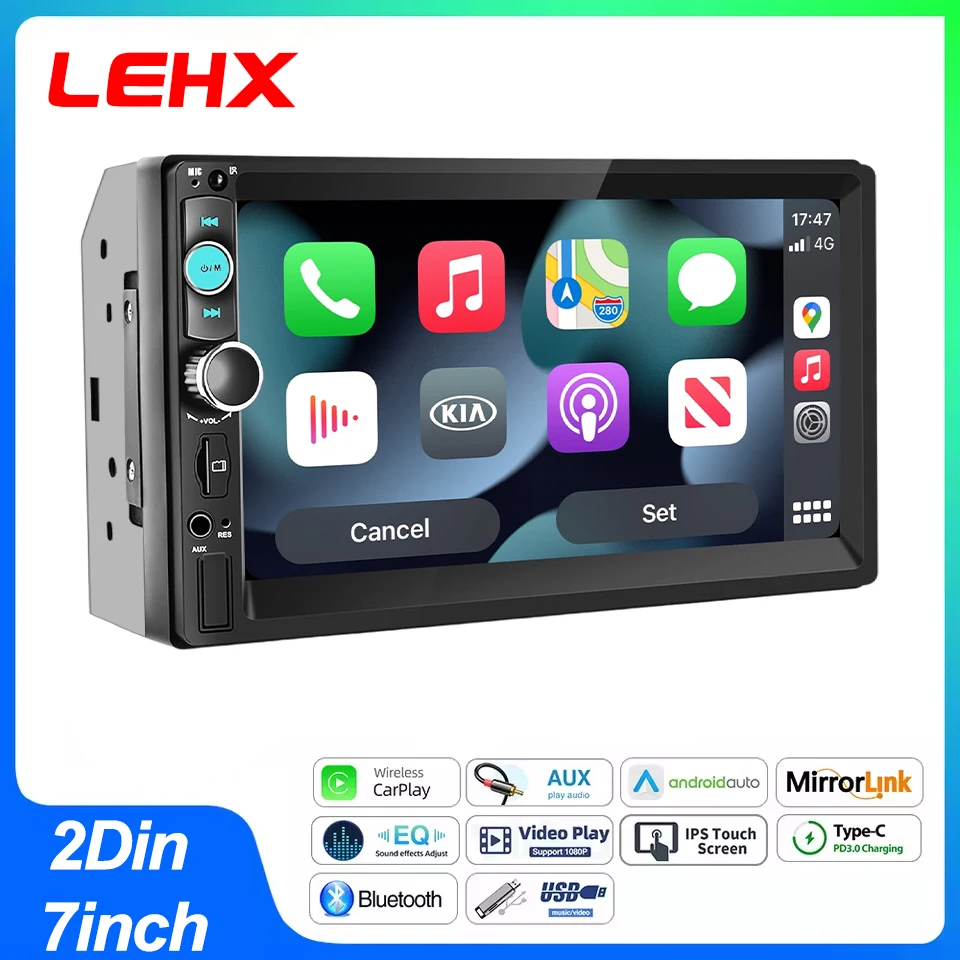
LEHX 7-inch 2-DIN Android head unit
Universal 2-DIN dashA universal 7-inch double-DIN unit with CarPlay, Android Auto, Bluetooth, FM and AUX. It suits cars with a standard 2-DIN opening and owners who mainly use phone projection. Check which RAM and storage option you are selecting, and confirm wired or wireless projection support in the listing details or buyer questions before ordering.
Listing: LEHX 7 Inch 2Din Android Auto Carplay Car Radio Multimedia Player FM AUX BT MirrorLink Un…

16-pin harness with CANbus box for VW
VW, SEATA 16-pin Android harness with a CANbus decoder for VW Golf Mk4 and Mk5, Passat B5 to B7 and SEAT Ibiza. The CANbus box provides ignition, illumination and steering-wheel signals on cars that use the data bus. Check that your exact model year and connector match the photos, as VW changed plugs across generations.
Listing: Car 16pin Radio Wiring Harness Canbus Box For VW Golf mk4 mk5 Passat B5 B6 B7 SEAT Ibiza …

QSZN CANbus box for Toyota Land Cruiser 120
Toyota Land CruiserA CANbus decoder and power harness set listed for the 2006 Toyota Land Cruiser 120. It is meant to let an Android head unit receive ignition and other vehicle signals cleanly. This is very model-specific, so compare your factory connector with the listing photos and confirm whether your car has a factory amplifier.
Listing: QSZN Car Radio Canbus Box For TOYOTA 2006 Land Cruiser 120 Radio Wiring Harness Power Cab…
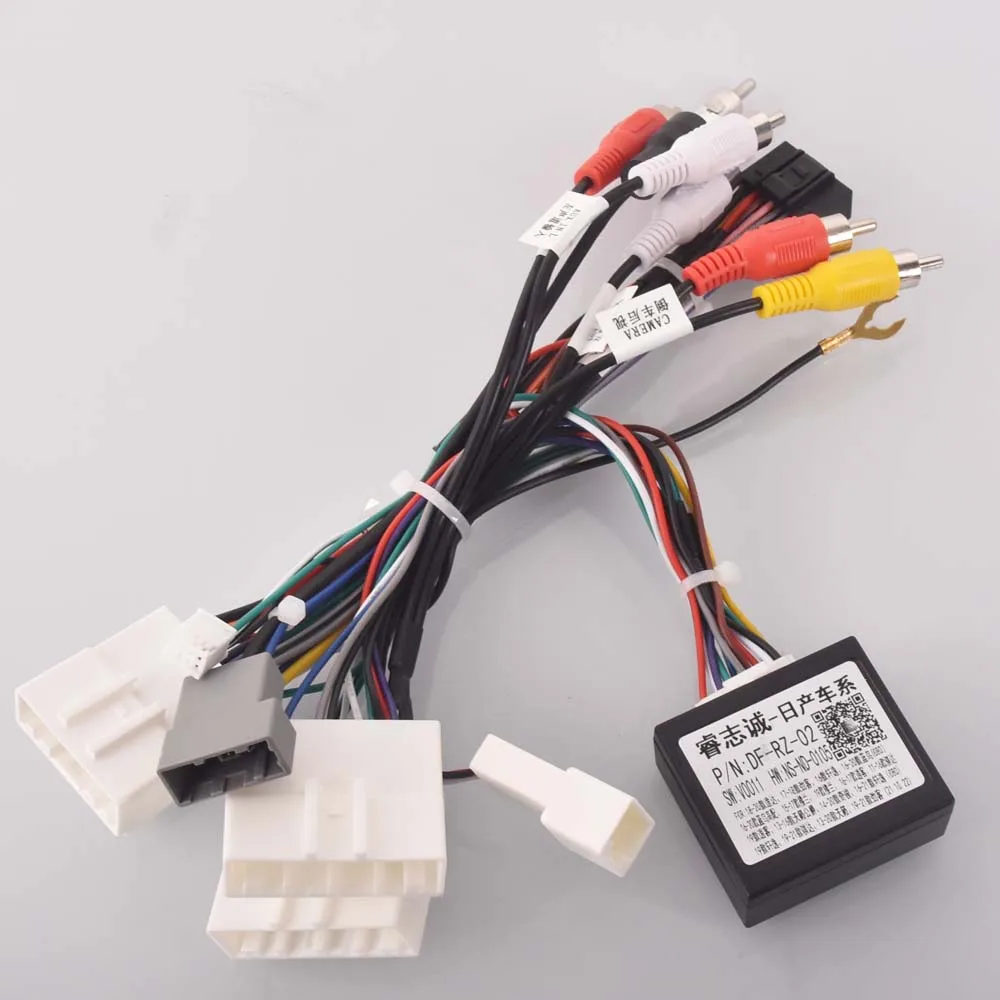
16-pin Android harness for Nissan
Nissan Qashqai, X-TrailA 16-pin adapter that connects an Android head unit to the factory plug in Nissan models such as the Qashqai J10 and J11, X-Trail, Murano and Tiida. It avoids cutting original wiring. Some trims need extra adapters for steering-wheel controls or a factory amplifier, so check your car before ordering.
Listing: Car Radio Stereo Wiring Harness Cable Adapter Android 16pin For Nissan Murano Qashqai j10…
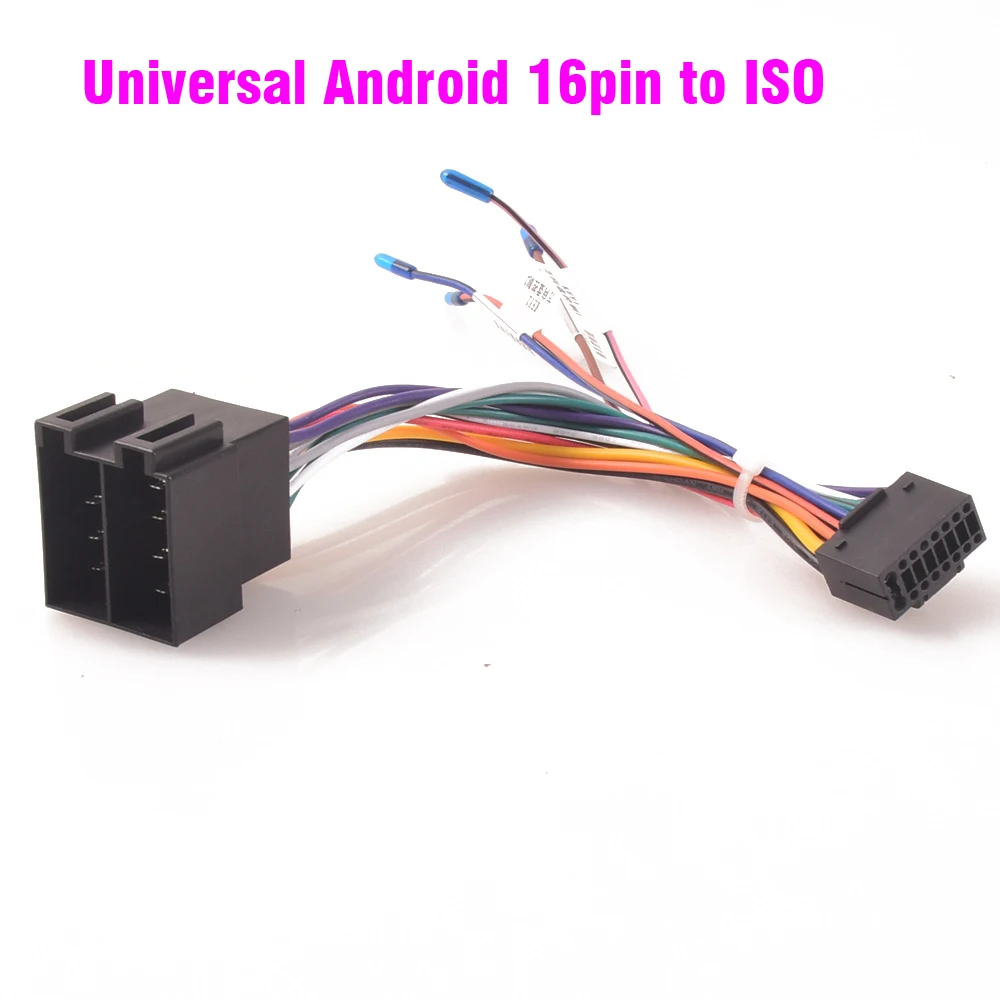
ISO to Android 16-pin universal harness
ISO-plug carsA universal adapter from the standard ISO car connector to the 16-pin plug used by most Android head units. It suits many Renault, Peugeot, Opel, Fiat and older Mercedes models that already have ISO plugs. It does not include CANbus decoding, so newer cars may still need a decoder box.
Listing: Car Radio Stereo Wiring Harness ISO to Android Universal Accessory Wire for Mercedes benz…